편집
이 장은 편집 모드를 시작하고, 변경을 저장하거나 취소하고, 실행 취소와 다시 실행을 연결하는 방법을 설명합니다. 편집의 규칙 자체(편집 가능한 레이어, 보류 변경, 저장 결과의 판정)는 엔진의 것입니다. 엔진 가이드 10장 편집을 먼저 읽으십시오.
화면 예시
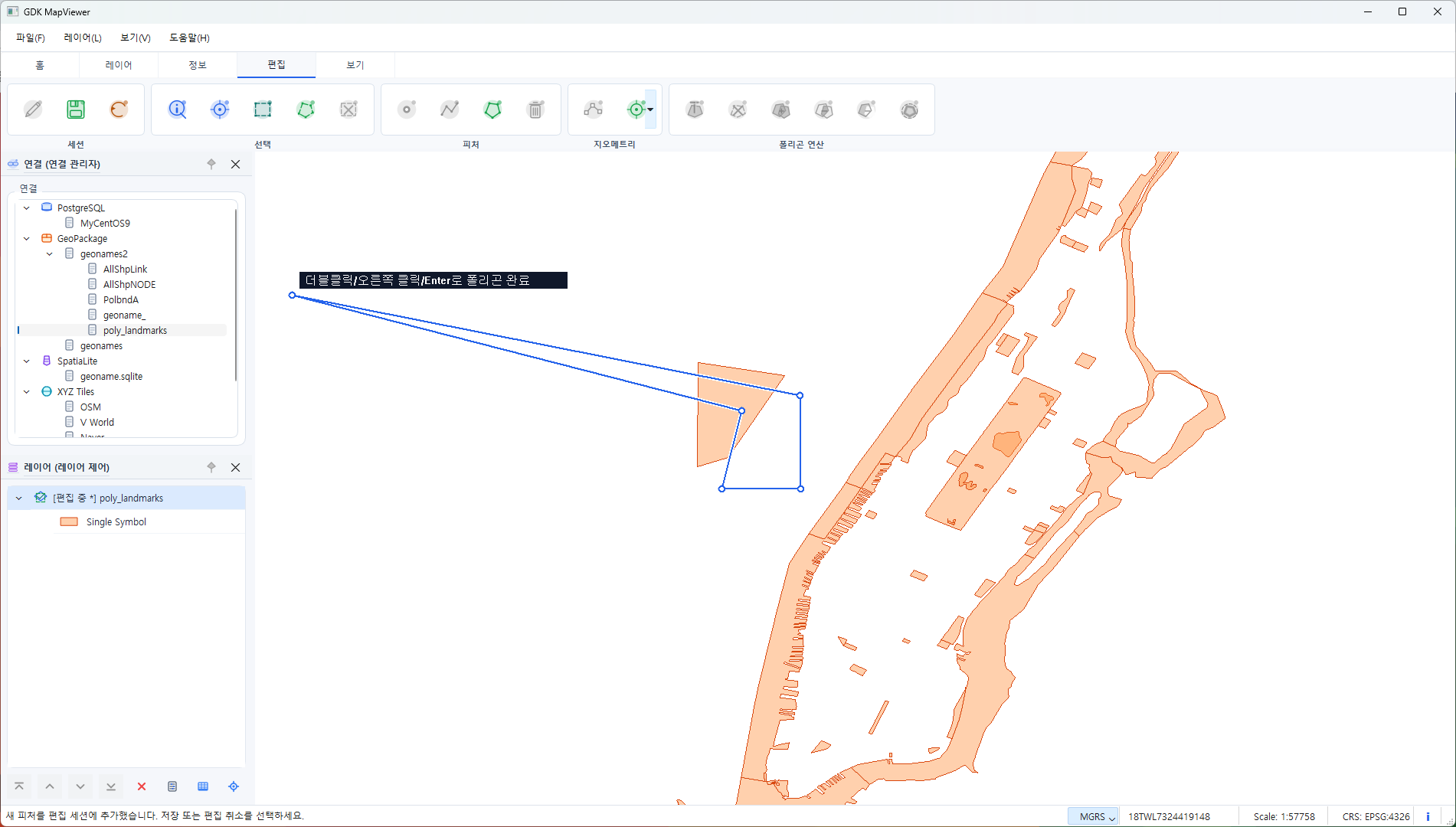
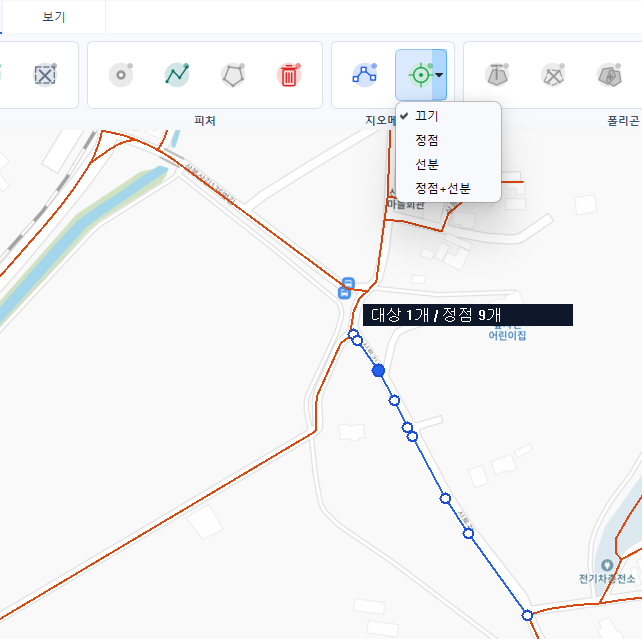
편집 모드
편집 모드는 세션에 하나입니다. 모드를 시작하면 편집할 수 있는 레이어들의 변경이 보류 변경으로 쌓이고, 저장할 때 데이터 소스에 한꺼번에 기록됩니다. 취소하면 보류 변경을 버립니다.
편집 컨트롤러가 이 모드를 맡습니다.
| 형식 | 만들 때 받는 것 | |
|---|---|---|
| Qt | GdkQt::EditWorkspaceController (EditController의 별칭) |
세션 |
| C# | CsGdk.WinForms.Core.EditWorkspaceController |
속성 테이블 컨트롤러 (또는 세션) |
C#에서 속성 테이블 컨트롤러를 넘기면 지도에서 한 편집과 표에서 한 편집이 같은 보류 변경에 쌓이고 함께 저장됩니다. 6장의 컨트롤러를 그대로 넘깁니다.
시작, 저장, 취소
| 하는 일 | Qt | C# |
|---|---|---|
| 시작 | StartEditing(layerId, &error) |
StartEditing(layerId) |
| 모두 저장하고 끝내기 | saveAndFinishEditing(&error) |
SaveEditsAsync() |
| 버리고 끝내기 | cancelEditing(&error) |
CancelEdits() |
| 실패 이유 | error 출력 인자 |
LastError |
layerId는 처음 편집할 레이어입니다. 예제는 레이어 목록에서 고른 레이어를 넘깁니다. 비워 두면 편집 모드만 켭니다.
시작이 실패하는 것은 지도에 편집할 수 있는 레이어가 하나도 없을 때, 지도 뷰가 없을 때, 저장이 진행 중일 때입니다. 넘긴 레이어가 편집할 수 없는 레이어(읽기 전용 데이터 소스, 래스터 등)인 것은 실패가 아닙니다. 편집 모드는 켜지고 그 레이어만 편집 대상이 되지 않습니다. 넘긴 레이어의 편집을 여는 데 실패하면 거짓을 돌려주지만 편집 모드는 켜진 채입니다.
void MapHostWindow::wireEditing(QToolBar* toolBar)
{
    // One edit mode for the whole session. GdkQt::EditWorkspaceController is the name new code
    // uses for the edit controller; it borrows only the session.
    m_editing = std::make_unique<GdkQt::EditWorkspaceController>(m_session.get());

    auto* start = toolBar->addAction(QStringLiteral("Start editing"));
    connect(start, &QAction::triggered, this, [this] {
        // Starts edit mode with the layer chosen in the layer panel as the first edit layer.
        QString error;
        if (!m_editing->StartEditing(m_layerPanel->currentLayerId(), &error)) {
            statusBar()->showMessage(error);
            return;
        }
        statusBar()->showMessage(QStringLiteral("Editing"));
    });
    auto* save = toolBar->addAction(QStringLiteral("Save edits"));
    connect(save, &QAction::triggered, this, [this] {
        // Writes every layer's pending changes and leaves edit mode. The call returns when the
        // write is done.
        QString error;
        const bool saved = m_editing->saveAndFinishEditing(&error);
        statusBar()->showMessage(saved ? QStringLiteral("Saved") : error);
        refreshAfterEdit();
    });
    auto* cancel = toolBar->addAction(QStringLiteral("Cancel edits"));
    connect(cancel, &QAction::triggered, this, [this] {
        // Discards the pending changes of every layer and leaves edit mode.
        QString error;
        if (!m_editing->cancelEditing(&error)) {
            statusBar()->showMessage(error);
        }
        refreshAfterEdit();
    });
    auto* undo = toolBar->addAction(QStringLiteral("Undo"));
    connect(undo, &QAction::triggered, this, [this] {
        QString error;
        if (m_editing->Undo(nullptr, &error)) {
            refreshAfterEdit();
        }
    });
    auto* redo = toolBar->addAction(QStringLiteral("Redo"));
    connect(redo, &QAction::triggered, this, [this] {
        QString error;
        if (m_editing->Redo(nullptr, &error)) {
            refreshAfterEdit();
        }
    });
}

void MapHostWindow::refreshAfterEdit()
{
    // The edit controller changes data, not the views: the host redraws the map.
    m_mapWidget->refreshAfterViewChanged();
}
saveAndFinishEditing은 기록이 끝날 때까지 돌아오지 않습니다.
저장은 모든 레이어가 성공해야 편집 모드를 끝냅니다. 하나라도 실패하면 편집 모드가 유지되고, 실패한 레이어의 보류 변경은 그대로 남습니다. 먼저 성공한 레이어는 되돌리지 않습니다. 사용자는 고쳐서 다시 저장하거나 취소할 수 있습니다.
취소도 레이어마다 이루어집니다. 일부 레이어를 버리지 못하면 버린 레이어는 닫히고 편집 모드는 유지됩니다.
편집 컨트롤러는 데이터를 바꿀 뿐 화면을 바꾸지 않습니다. 시작, 저장, 취소, 실행 취소 뒤에 응용 프로그램이 지도를 다시 그립니다. Qt의 EditController는 편집 상태가 바뀔 때 editStateChanged 시그널을 내므로, 그 시그널에서 화면을 갱신해도 됩니다.
실행 취소와 다시 실행
실행 취소 이력은 세션 전체에 하나이고 보류 변경에만 적용됩니다. 저장한 뒤에는 그 이전으로 실행 취소할 수 없습니다.
| 실행 취소 | 다시 실행 | |
|---|---|---|
| Qt | Undo(changes, &error) |
Redo(changes, &error) |
| C# | Undo() |
Redo() |
되돌릴 것이 없으면 거짓을 돌려줍니다. 실행 취소는 보류 변경만 바꾸고 데이터 소스에는 아무것도 쓰지 않습니다.
이 장이 다루지 않는 것
편집 모드를 켜는 것만으로는 지도에서 피처를 그리거나 옮길 수 없습니다. 다음은 따로 연결해야 하며, 예제에는 없습니다.
| 하려는 일 | Qt | C# |
|---|---|---|
| 지도에서 새 피처 그리기 | GdkMapWidget::setCreateFeatureCallback |
FeatureCreateController와 GdkMapControl.FeatureSketchCompleted |
| 이동·꼭짓점 편집 도구 | GdkMapWidget::setEditBinding 외 |
GdkMapControl.GeometryEditing |
| 선택한 피처 지우기 | EditController::deleteSelectedFeatures |
확인 대화상자 DeleteFeaturesDialog. AttributeTableController.TryDeleteFeaturesAsync는 편집 모드 밖에서 바로 기록하는 함수입니다 |
각 형식의 계약은 레퍼런스에 있습니다.
C#의 레이어 목록 컨트롤은 편집 중인 레이어를 표시하는 기능이 있지만, 그 상태를 넣는 함수가 공개되어 있지 않습니다. 공개 API만 쓰는 응용 프로그램에서는 레이어 목록의 편집 표시와 편집 관련 메뉴가 나타나지 않습니다.
다음 장
6장 속성 테이블에서 레이어의 속성을 표로 엽니다.